Home Office Setup Ideas: A Complete Guide for Focus and Comfort
A room-by-room framework for setting up a home office that actually helps you work — ergonomics, lighting, storage, and the small details that separate a good desk from a great one.

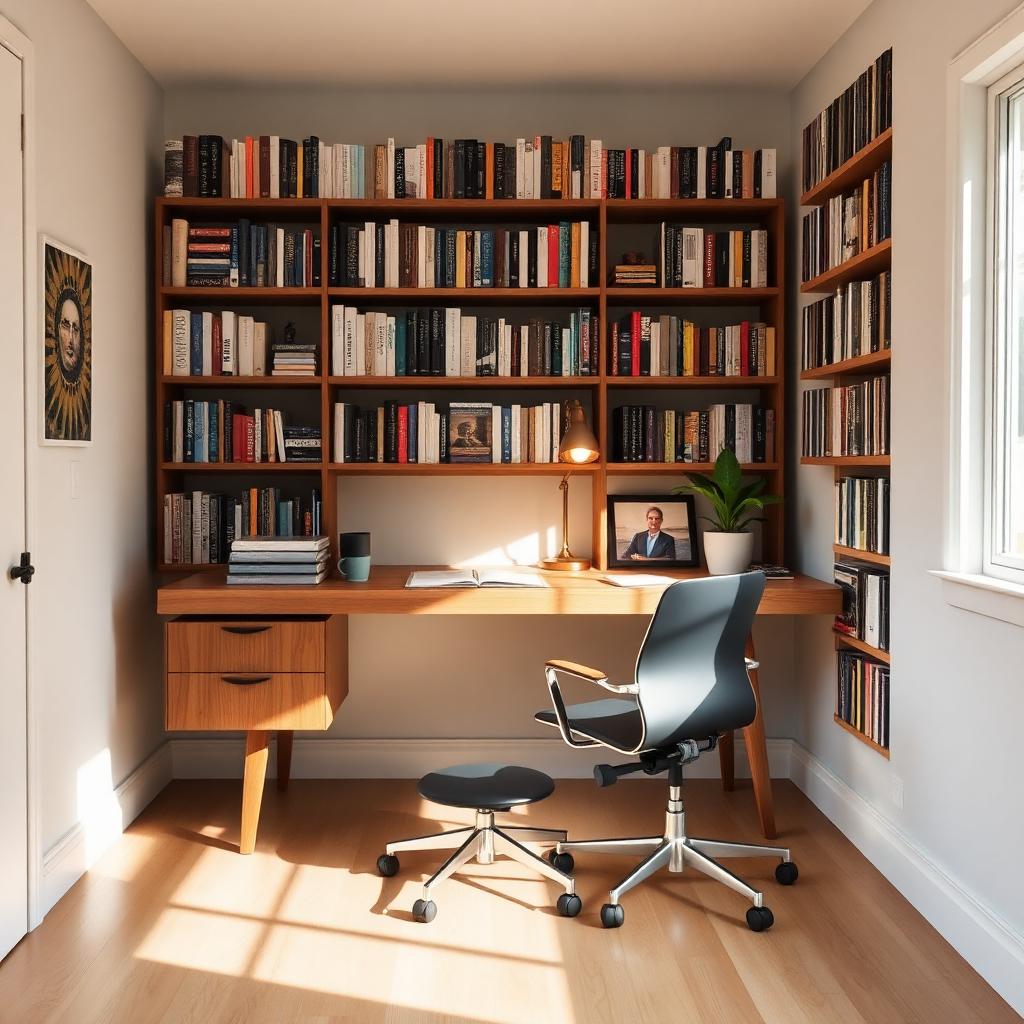
A home office is not a spare bedroom with a desk in it. It is a small room whose only job is to make your brain want to work — and then to keep your body from falling apart while it does. After eight years working from home full-time in four different setups, from a corner of a kitchen to a dedicated 100-square-foot room, these are the decisions that made the biggest difference.
1. Choose the right location
If you have a choice, pick the room with a window on your side (not behind you and not directly in front of you) and a door that closes. Windows to the side give you natural light without glare on the monitor. A door that closes is the single strongest signal to your brain — and to the people you live with — that work is happening. No door? A tall bookshelf or a folding screen buys most of the same benefit.
2. Get the desk height right
Standard desks are 29 inches tall, which is right for someone about 5'10". If you're shorter, that desk forces your shoulders up; if you're taller, it pulls your wrists down. The fix: an adjustable-height desk (electric or crank) set so your forearms rest parallel to the floor when you type. If a new desk isn't in the budget, raise your chair and add a footrest.
3. Invest in the chair
The chair is the one piece of home-office furniture where the expensive option is worth it. You will sit in it 40+ hours a week for years. Look for adjustable seat height, adjustable armrests (up/down and in/out), lumbar support that hits the small of your back, and a seat pan that ends 2–3 inches before the back of your knees. Herman Miller and Steelcase used chairs from resellers cost a fraction of new and outlast almost every consumer chair.
4. Monitor at eye level
The top of your monitor should sit at or just below eye level so your neck stays neutral. Laptop users: your laptop is not a monitor. Put it on a stand, add an external keyboard and mouse, and use it as a second screen. This one change fixes more neck and shoulder pain than any ergonomic accessory I've ever tried.
5. Three layers of light
A single overhead light throws shadows on your keyboard and glare on your screen. Layer three sources: an overhead for ambient light, a task lamp for the desk, and a lamp behind the monitor for "bias lighting" that reduces eye strain. Warm bulbs (2700K–3000K) in the evening; a daylight bulb (4000K–5000K) in the task lamp helps morning focus without disrupting sleep the way overhead cool light does.
6. Storage that hides
Visual clutter is cognitive clutter. Anything you don't use daily should live behind a door or in a lidded box. A single closed cabinet or a credenza behind you is enough for most home offices — it holds paper, cables, backup gear, and the printer, which should never live on the desk itself. Open shelves for books and one or two objects; everything else out of sight.
7. Fix the acoustics
Empty rooms echo, and echo makes video calls exhausting. A rug, curtains, and one upholstered piece (a chair, a small sofa, a cushioned bench) absorb enough sound to make the room feel calm. If you record video or audio, add an acoustic panel or two behind the microphone — it makes a bigger difference than any expensive mic upgrade.
8. Tame the cables
Cables under the desk are the single most-photographed and least-fixed problem in home offices. A cable tray screwed to the underside of the desk holds the power strip and hides everything. Velcro straps (not zip ties — you'll change your setup) keep runs tidy. Route cables along the back edge, not through the middle. Ten minutes of work; visible for years.
9. Design the video-call background
Whatever is behind you on video calls is part of how people perceive your work. You don't need a curated shelf — you need one clean surface. A single piece of framed art, a plant, and empty wall space read as calm and professional. Avoid centered clocks (they distract everyone), open closets, and unmade beds. Test the frame once, then leave it alone.
10. Make it personal
The best home offices don't look like offices. They look like rooms owned by someone who happens to work there — a wall of books they've actually read, a piece of art they love, a rug with character, a candle or a plant. Purely functional home offices feel bleak within a month. Two or three personal objects turn a workspace into a room you're happy to enter at 8 a.m.
Build a shutdown routine
The best-designed home office in the world can't compensate for never leaving it. A five-minute shutdown routine — close all tabs, write tomorrow's top three tasks, clear the desk, turn off the monitor, turn off the task lamp — gives your brain permission to stop. Add a physical trigger like closing the door or turning off a specific light, and the office starts to switch modes when you do.
Sequencing upgrades on a budget
If you're building the office over months, buy in this order: chair, monitor stand, task lamp, keyboard/mouse, desk, storage, art. The chair and monitor position pay back in comfort every day. Everything else is polish. Do not buy the "aesthetic" pieces first — a beautiful desk with a bad chair is a physical-therapy bill waiting to happen.
Frequently asked questions
- How big should a home office be?
- 60–80 square feet is enough for a desk, chair, and one storage piece. Anything under 40 square feet works if you're disciplined about storage.
- Is a standing desk worth it?
- An adjustable-height desk is worth it; a fixed standing desk is not. The benefit comes from alternating positions, not from standing all day.
- What lighting is best for a home office?
- Three layers — ambient overhead, task lamp on the desk, and bias lighting behind the monitor. Warm bulbs in the evening; cooler task light in the morning.
Frequently asked questions
- How big should a home office be?
- 60–80 sq ft handles a desk, chair, and storage. Under 40 sq ft works if you're disciplined about storage.
- Is a standing desk worth it?
- Adjustable-height, yes. Fixed standing, no. The benefit is alternating positions, not standing all day.
- What lighting is best?
- Three layers: ambient overhead, desk task lamp, and bias lighting behind the monitor.